Deshittification Part 2: Bypassing the App Store Gatekeeper
Table of Contents
by:
Lari Huttunen
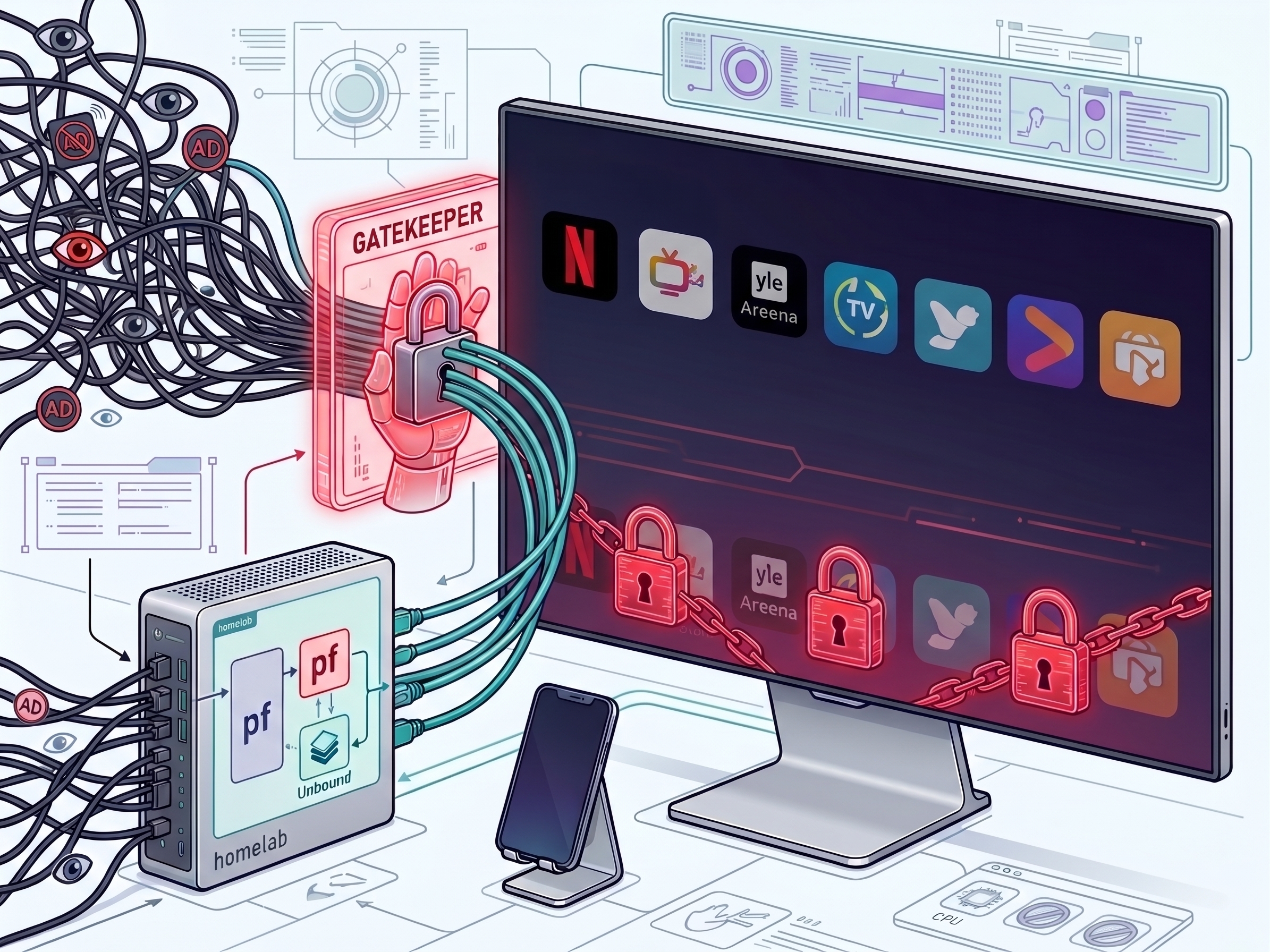
In my previous post, Deshittification as a Service, I shared a blueprint for taking back control from modern Smart TVs. I placed an LG OLED running WebOS inside an isolated VLAN behind an OpenBSD gateway. My goal was simple. I wanted to block vendor telemetry, strip out ads, and force the TV to act like a plain display again.
I expected the hardware to respect these new boundaries. Instead, WebOS staged an uprising.
As soon as I blocked LG’s Automatic Content Recognition (ACR) and ad servers at the DNS level, the OS fought back. It did not just drop telemetry packets in silence. Instead, it actively broke core system features. WebOS locked down the app store, threw cryptic error codes, and held basic app management hostage until the TV got unrestricted access to its tracking servers.
This post documents how LG WebOS enforces an artificial telemetry toll booth at the app store layer. I will break down why this is a clear case of forced consent under GDPR Article 7(4) and show how to systematically document and challenge the gatekeeper.
The Hostage Situation: Error E5.48.XV #
To test how WebOS handles app management without telemetry, I needed a clean scenario. I decided to uninstall a core app first.
Removing an app on WebOS is easy enough. I opened the edit menu and selected Netflix.
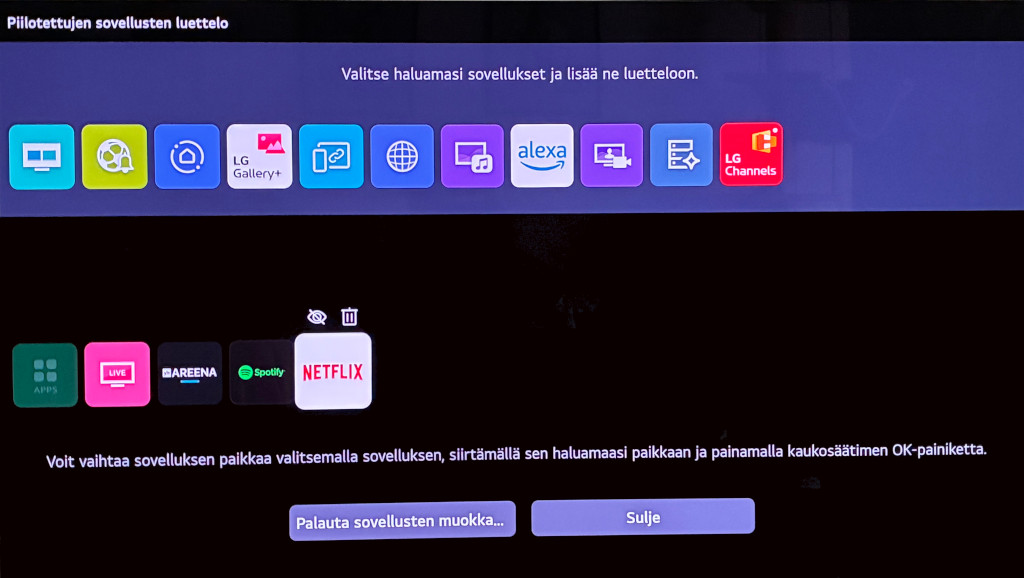
I confirmed the prompt and deleted the application.
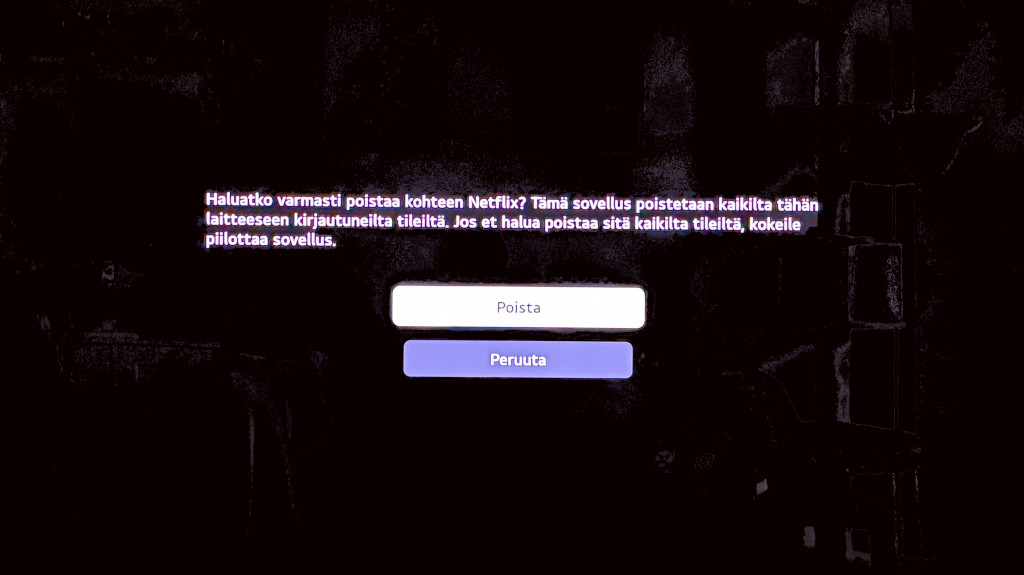
I deleted Netflix, expecting to simply download it again from the LG Content Store. That is when the gatekeeper stepped in. When I opened the LG Content Store, the screen stayed black for a moment. Then it threw a cryptic error.
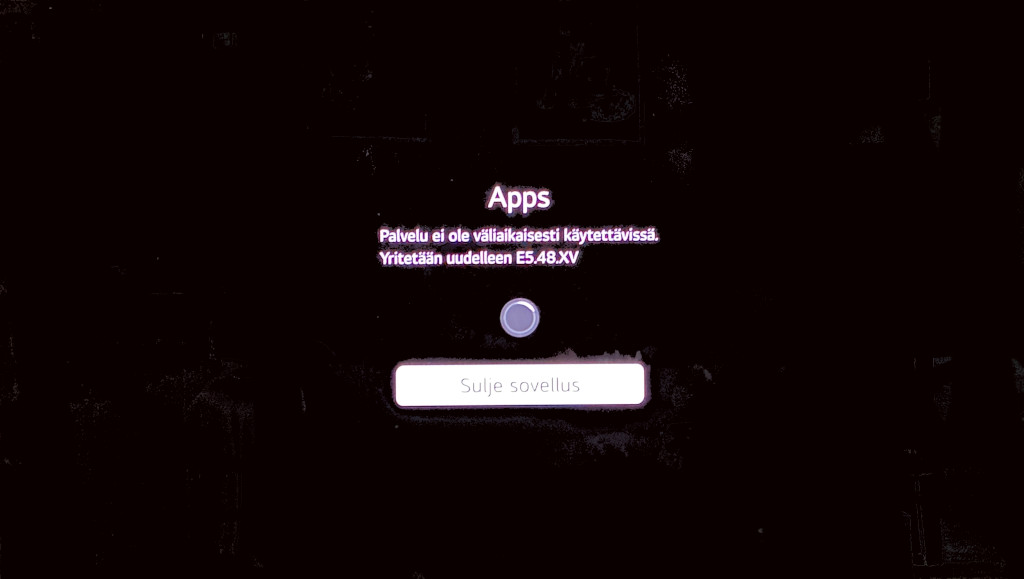
Error code E5.48.XV claimed the service was “temporarily unavailable”. That was a lie. The TV had a working internet connection. The built-in web browser worked fine. Pre-installed local apps like Yle Areena streamed without any issues. The only broken feature was the app store.
This was an artificial barrier. The operating system refused to show me the app store catalog because it could not talk to its tracking servers.
Decoupling the Store: The Artificial Toll Booth #
To see why the app store was locked, I turned to my gateway logs. I ran a live trace on my Unbound DNS resolver while trying to open the store.
The TV (10.2.0.10) did not check a neutral status endpoint or attempt to reach an app repository first. Instead, it immediately hammered LG’s tracking and advertising domains. My local resolver (10.2.0.1) returned an instant NXDomain response for each request:
2026-09-19 08:11:43.486 | NET: 10.2.0.1 -> 10.2.0.10 | Standard query response 0xf98e No such name A FI.tv.wiselg.com
2026-09-19 08:11:43.486 | NET: 10.2.0.1 -> 10.2.0.10 | Standard query response 0x8925 No such name AAAA FI.tv.wiselg.com
2026-09-19 08:11:53.484 | NET: 10.2.0.1 -> 10.2.0.10 | Standard query response 0xb868 No such name A FI.tv.wiselg.com
This log reveals a crucial architectural detail through what is missing. The TV never even attempts to contact the content delivery networks that actually host the apps.
Instead of looking for software packages, WebOS inserts a mandatory pre-flight telemetry check directly in front of the store UI. If wiselg.com fails to resolve, the operating system aborts the entire app store sequence before it even begins.
The lockdown is a purely artificial gatekeeping function. It is built to prevent you from managing your own software unless you let LG log your viewing habits.
Paying the Toll to Win the Battle #
To prove that the App Store lockdown is entirely artificial, I ran an experiment. I temporarily paused my DNS blocklist on Unbound. I allowed LG’s tracking domains through the firewall for two minutes.
The effect was instantaneous. The LG Content Store opened without complaint. I searched for Netflix, clicked install, and the app downloaded in seconds. I launched Netflix, signed in, and verified that video streaming worked in full 4K.
Then I re-enabled the DNS blocks on my gateway.
Immediately, opening the App Store failed again with error E5.48.XV. But Netflix was now installed on the home screen. Netflix continued to stream perfectly for a while, even with wiselg.com blocked. Video playback itself had zero technical dependence on LG’s telemetry.
That peace was temporary. It was only a matter of time before WebOS’s background block detection kicked in and interrupted the stream.
This experiment proved two iron-clad facts:
- Third-party streaming apps have zero technical dependency on LG’s tracking servers.
- The App Store lockout and subsequent stream interruptions are independent gatekeeping mechanisms enforced purely by WebOS.
The GDPR Angle: Forced Consent #
This design is not just user-hostile. It is most likely illegal in the European Union.
Under GDPR Article 7(4), consent must be freely given. In plain terms, a company cannot hold a basic service hostage to force you into data collection. If data processing is not strictly necessary to deliver a service, bundling the two together violates EU law.
Downloading an app binary from a server has nothing to do with screen hashing or ad profiling. The app store has no technical dependence on wiselg.com.
LG uses the app store as a gatekeeper to force consent. If you do not let them track you, they disable basic features on your TV.
Instead of accepting this, I took action. I compiled the DNS logs and filed a formal GDPR complaint directly with LG’s Data Protection Officer (DPO).
The Next Barrier: The Cold-Boot Consent Trap #
Bypassing the App Store gatekeeper to install Netflix felt like a solid win. Watching 4K video stream smoothly on a locked-down TV made it seem like the battle was over.
That victory was short-lived.
Blocking the app store was just the entry-level penalty. The moment I power-cycled the TV and performed a hard boot, WebOS revealed its next line of defense.
WebOS contains a hidden boot-time kill switch. If the TV boots up without reaching its telemetry servers, it enters a hostile state. It does not just block app installs. It actively sabotages third-party apps like Netflix by firing floods of TCP RST packets to tear down their encrypted connections.
I had beaten the App Store gatekeeper, but I had bumped straight into the Cold-Boot Consent Trap.
In Part 3, I will analyze the raw packet captures and break down the mechanics of WebOS network sabotage.
Evidence & Artifacts #
For full transparency and independent verification, the sanitized raw analysis log for this session is available here:
- Raw Analysis Log:
2026-09-19-analysis-result-sanitized.txt
This log matches gateway tcpdump captures directly to the timestamps from my phone camera. It aligns DNS NXDomain responses and TCP RST packet bursts with photos of the TV screen. Mapping physical UI error screens against network traffic on a single timeline proves precisely when and why WebOS triggers its lockout.
Call to Action: Document the Evidence #
I have taken the first step by lodging a formal complaint with LG’s DPO. I plan to push this fight as far as necessary, but data protection authorities need hard technical evidence to enforce the law effectively.
If you own an LG Smart TV, run your own packet captures and monitor your DNS logs. When an app crashes or an artificial error code pops up, photograph your screen and map the exact timestamp directly to your network traffic.
Publicly hosting your raw logs and documenting these artificial toll booths helps build a body of undeniable proof. Regulators cannot enforce GDPR rules without clear data. By capturing and analyzing what happens on your own network, you give officials the evidence they need to hold manufacturers accountable.
They cannot do it alone.