Deshittification Part 4: The Factory Reset Consent Trap
Table of Contents
by:
Lari Huttunen
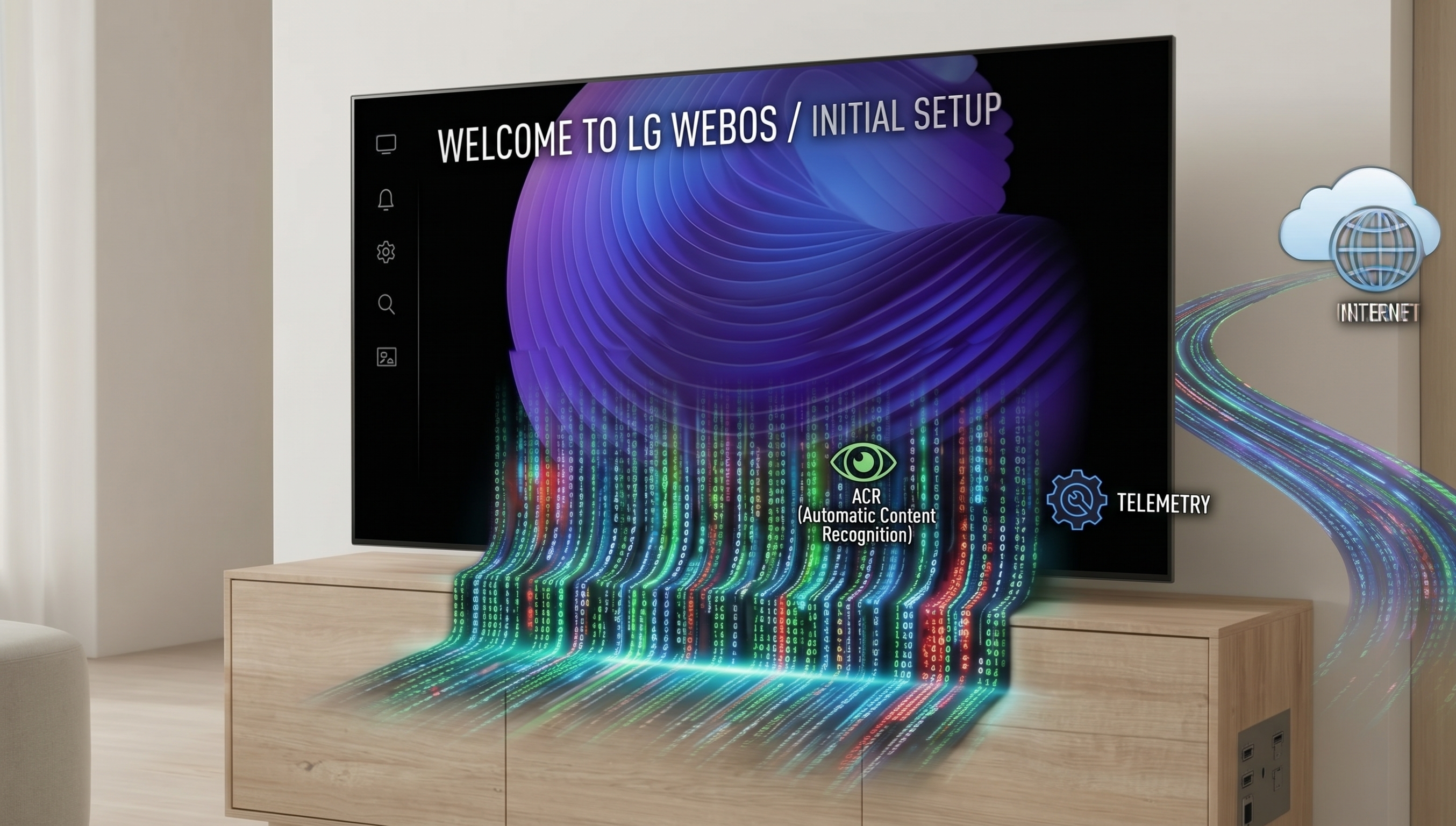
In Part 1 of this series, I laid out the foundational OpenBSD and Unbound architecture used to reclaim network sovereignty from an LG Smart TV. In Part 2, we saw how the OS holds the App Store hostage. In Part 3, I documented a stateful TCP kill switch that actively terminates Netflix streams if telemetry is blocked.
But a lingering question remained: What happens at the absolute beginning? What does a Smart TV do before it has any user profile, before it has cached any settings, and crucially, before it has ever shown the user a privacy policy?
To answer this, I took my LG OLED TV back to square one: a complete factory reset. As before, I isolated the TV on a dedicated VLAN, set up a packet capture (tcpdump), synchronized my camera’s clock to a local NTP server, and proceeded to set up the TV as if it were brand new.
What I found dismantles any claim of “Privacy by Default.” LG WebOS does not wait for your consent. It runs a “Phone Home First, Ask Later” routine. Minutes before the terms of service even load on the screen, the TV leaks your IP address, unique device identifiers, and private telemetry to LG and third-party ACR networks.
The Setup: A Clean Slate and a Controlled Leash #
To isolate the exact sequence of events, I designed the experiment in two distinct phases. I took my LG OLED TV back to a complete factory reset, placing it on a dedicated VLAN with a synchronized tcpdump packet capture running.
Crucially, I left my Unbound DNS sinkhole active during the initial boot. I wanted to see what the TV would do when it was physically connected to the network but administratively blocked from reaching its tracking infrastructure.
Phase 1: The Blocked Boot and the Stalled Setup #
After the factory reset, I connected the TV to the Wi-Fi network. The TV successfully obtained its local IP address (10.2.0.10).

With the DNS sinkhole blocking domains like wiselg.com and lgsmartad.com, the TV began its onboarding process. However, when it reached the step to display the User Agreements (the privacy terms the user must review), the system choked. The terms simply failed to load.
Phase 2: Dropping the Shield (The Floodgates Open) #
To proceed, I had to temporarily drop the DNS blocks on my Unbound gateway. I left the TV on the same Wi-Fi connection, sitting at the stalled onboarding screen, and paused the sinkhole.
The moment the network opened up, the floodgates broke. Before I had even touched the remote control to proceed, the TV instantly began aggressive background communication:
Timestamp (UTC)          | Local (EEST)    | Source / Routing                    | Event / Packet Info
--------------------------------------------------------------------------------------------------------------------------------------------
2026-10-04 07:21:18.873  | N/A             | NET: 10.2.0.1 -> 10.2.0.10          | Standard query response AAAA ngfts.tv.wiselg.com
2026-10-04 07:21:19.030  | N/A             | NET: 10.2.0.10 -> 193.229.109.58    | 47684 → 443 [RST] Seq=833 Win=0 Len=0
Within seconds of the blocks dropping, the TV resolved ngfts.tv.wiselg.com (Next Generation Feature Telemetry Service) and began initiating TLS-encrypted sessions to IP addresses like 193.229.109.58.
Phase 3: The Smoking Gun (The Illusion of Choice) #
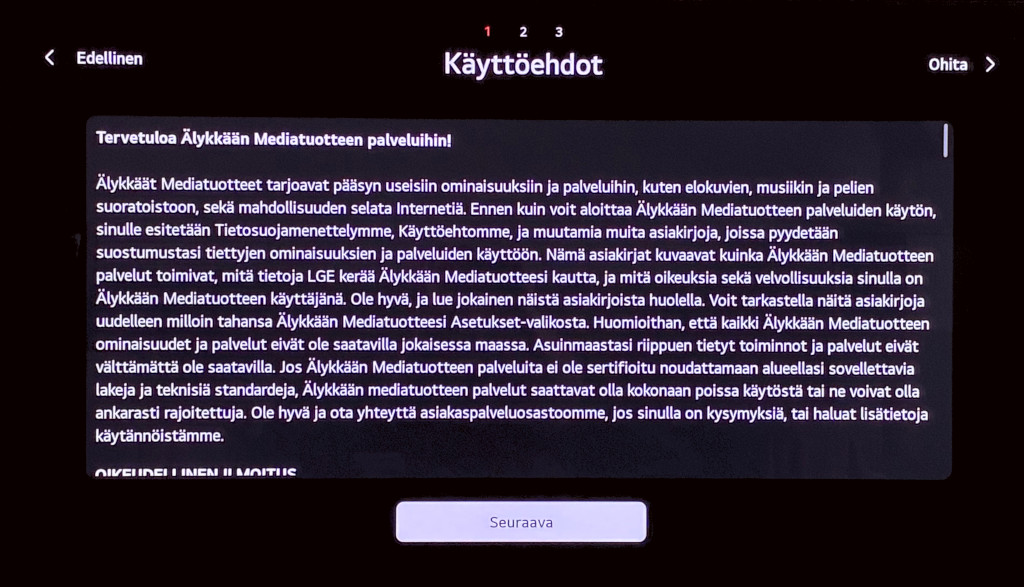
Because the network was now open, the UI finally allowed me to advance to the “User Agreements” screen (Käyttöehdot).
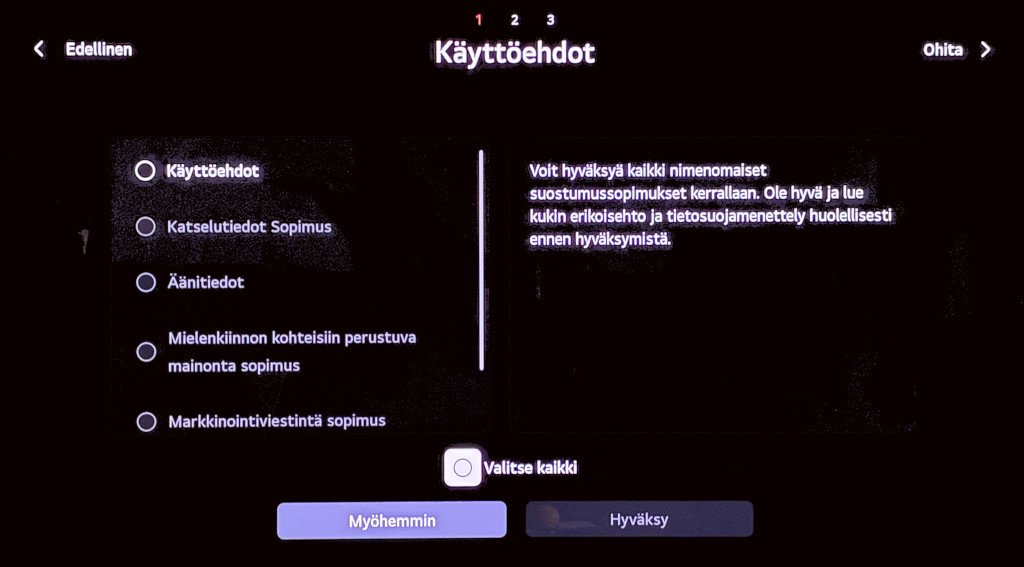
As the timestamped photos clearly show, no terms had been accepted. The checkboxes for “Viewing Information Agreement” (ACR) and “Interest-Based Advertisement” were completely empty. I deliberately paused the setup here and did not touch the remote.
While the UI patiently waited for my “consent,” the operating system was busy ignoring it:
Timestamp (UTC)          | Local (EEST)    | Source / Routing                    | Event / Packet Info
--------------------------------------------------------------------------------------------------------------------------------------------
2026-10-04 07:24:36.186  | N/A             | NET: 10.2.0.1 -> 10.2.0.10          | Standard query response A FI.info.lgsmartad.com
2026-10-04 07:24:37.522  | N/A             | NET: 10.2.0.1 -> 10.2.0.10          | Standard query response A eu-acr86.alphonso.tv
2026-10-04 07:24:37.749  | N/A             | NET: 10.2.0.10 -> 96.47.6.209       | 50432 → 4433 [RST] Seq=2027 Win=0 Len=0
At 10:24:36 EEST, while the consent screen was still pending, the TV resolved FI.info.lgsmartad.com (LG’s ad network). One second later, at 10:24:37 EEST, it resolved eu-acr86.alphonso.tv and immediately initiated a connection to 96.47.6.209 on port 4433.
Who is Alphonso? Alphonso (now LG Ads Solutions) is a massive data broker specializing in Automatic Content Recognition (ACR). They are the engine that fingerprints what you watch.
By refusing to load the terms until the network is open, and then instantly initiating a connection to a third-party ACR network before the user has clicked “Agree,” LG is leaking the user’s IP address and device fingerprint illegally. This is an architectural bypass of consent.
Phase 4: The Degradation Threat #
Eventually, I moved past the terms screen without accepting the optional tracking. The TV’s response was a masterclass in hostile design.
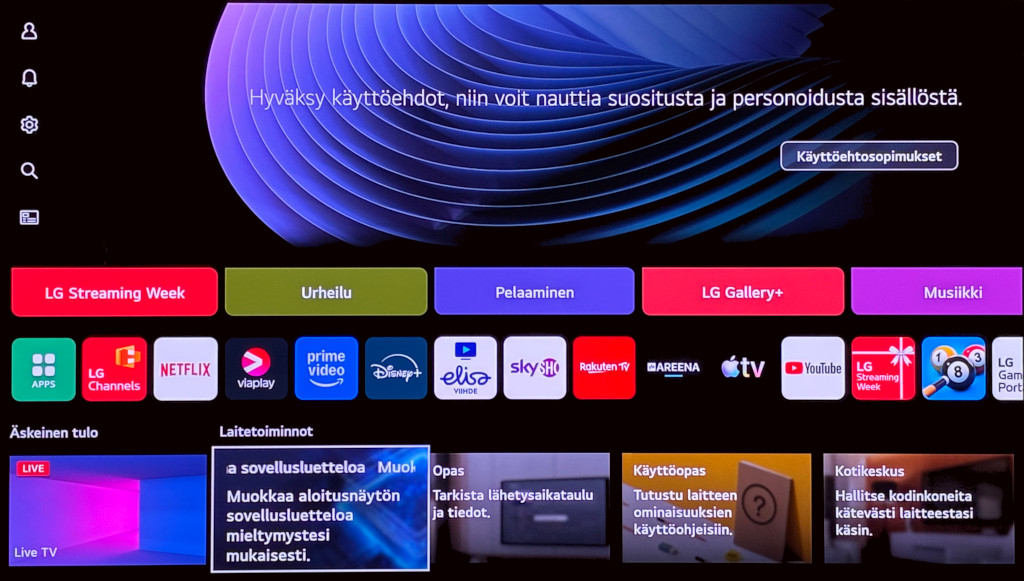
The home screen displayed a persistent banner: “Hyväksy käyttöehdot, niin voit nauttia suositusta ja personoidusta sisällöstä.” (Accept the terms and conditions to enjoy recommended and personalized content.)
As demonstrated in Part 2, refusing these terms doesn’t just disable recommendations; it breaks the App Store. The message is clear: Give us your data, or we will degrade the expensive hardware you just purchased.
The Likely GDPR Implications #
This cold-boot behavior is a direct assault on the fundamental principles of European privacy law:
- Privacy by Default (GDPR Article 25): Systems must be designed to process only the personal data necessary for the specific purpose, by default. Initiating connections to
alphonso.tvandlgsmartad.comon a factory-fresh device before any user interaction proves this principle is entirely absent in WebOS. - ePrivacy Directive (Article 5(3)): Storing or accessing information on a user’s terminal equipment requires prior consent, unless strictly necessary for a requested service. A user configuring Wi-Fi has not requested ACR tracking or targeted ads.
- Invalid Consent (GDPR Article 7): When data collection begins before the prompt, the prompt itself is merely theater.
Next Steps: Escalation #
I have already contacted LG’s Data Protection Officer regarding these practices. Their response so far? A request for a two-month extension to review the inquiry. They will need every day of it to explain away these PCAP logs.
However, waiting is no longer an option. The evidence of systematic “Privacy by Default” violations and forced consent is now conclusive and fully documented. I am packaging these findings—the PCAPs, the EXIF-timed photographs, and the architectural analysis—into a formal submission for the Data Protection Ombudsman and NOYB.
Evidence & Artifacts #
For full transparency and independent technical audit, the sanitized raw analysis log for this factory reset session is available here:
- Factory Reset Analysis Log:
2026-10-04-lg-full-sanitized.txt
This technical documentation, network traces, and camera-captured screen artifacts have been compiled into a formal evidentiary package for submission to regulatory authorities (NOYB and national Data Protection Authorities).
The privacy toggles in the settings menu are placebos. The only consent that matters is the one you enforce at your firewall.